Best free project management software to boost efficiency
Free, cloud-based project management software, such as Jira and Confluence whiteboards, offers a straightforward and effective way for businesses of any size to facilitate collaboration and keep everyone on the same page.
Whether you need to manage a complex initiative across multiple teams or want to organize personal tasks, project management software tools help boost productivity and put you on track to accomplish your project goals.
What is project management software?
Project management software can be an excellent solution for teams of all sizes, regardless of project scope. It helps boost core efficiency through streamlined tasks, enhanced collaboration, and improved productivity.
Project management tools also provide:
- Better visibility: Dashboards and reports give you an overview of project status and team workload, enabling you to make better decisions and ensure nothing slips through the cracks.
- Saved time: Automations eliminate repetitive tasks, allowing you to focus on high-impact work and avoid manual status updates, file uploads, or chase-ups.
- Increased efficiency: By centralizing tasks, documents, and communication, you won’t waste time searching inboxes or tracking down the latest file version.
Benefits of free project management software
Free project management tools offer many benefits to streamline your company's workflow, including increased project accessibility, seamless collaboration, in-depth customization, and more.
Accessibility
The convenience of using project management software for free is hard to beat. With this software, you can access all your project information and collaborate with teammates from anywhere. Dashboards and reports give you an overview of project progress and team workload, keeping you aware of each project's status so you can make better project planning decisions.
Collaboration
Free project management software helps teams communicate and collaborate more effectively, aiding productivity and keeping all members up to speed. Teams using project management software have a centralized place to access project details, tasks, and deadlines. Project management tools also make it easy to assign and track responsibilities, enabling team leads to see task assignments and monitor progress in an organized manner across all project management phases.
Customization
Free project management software offers a flexible solution that you can customize to fit your team's specific workflows and needs. With customization options, you can eliminate friction, simplify handoffs, and streamline your management process from start to finish. The flexibility of this software allows you to shape it based on your team's unique structure and needs.
Scalability
As your team and projects grow, your project management processes must scale accordingly. Look for flexible and adaptable software that allows you to customize workflows, templates, and fields. This ensures the software can scale to your business’s unique growing needs.
Use tools within the software to automate routine tasks such as notifications, reminders, and status updates, saving time and freeing your team to focus on higher-value work.
Cost efficient
Free project management software provides a cost-effective solution for teams of all sizes. Without licensing fees, you can reduce project expenses while still delivering the core features teams need to coordinate tasks successfully. This software allows teams to adopt a project management solution with little to no financial investment, making it an accessible option, even for teams with limited budgets.
Key features of free project management software
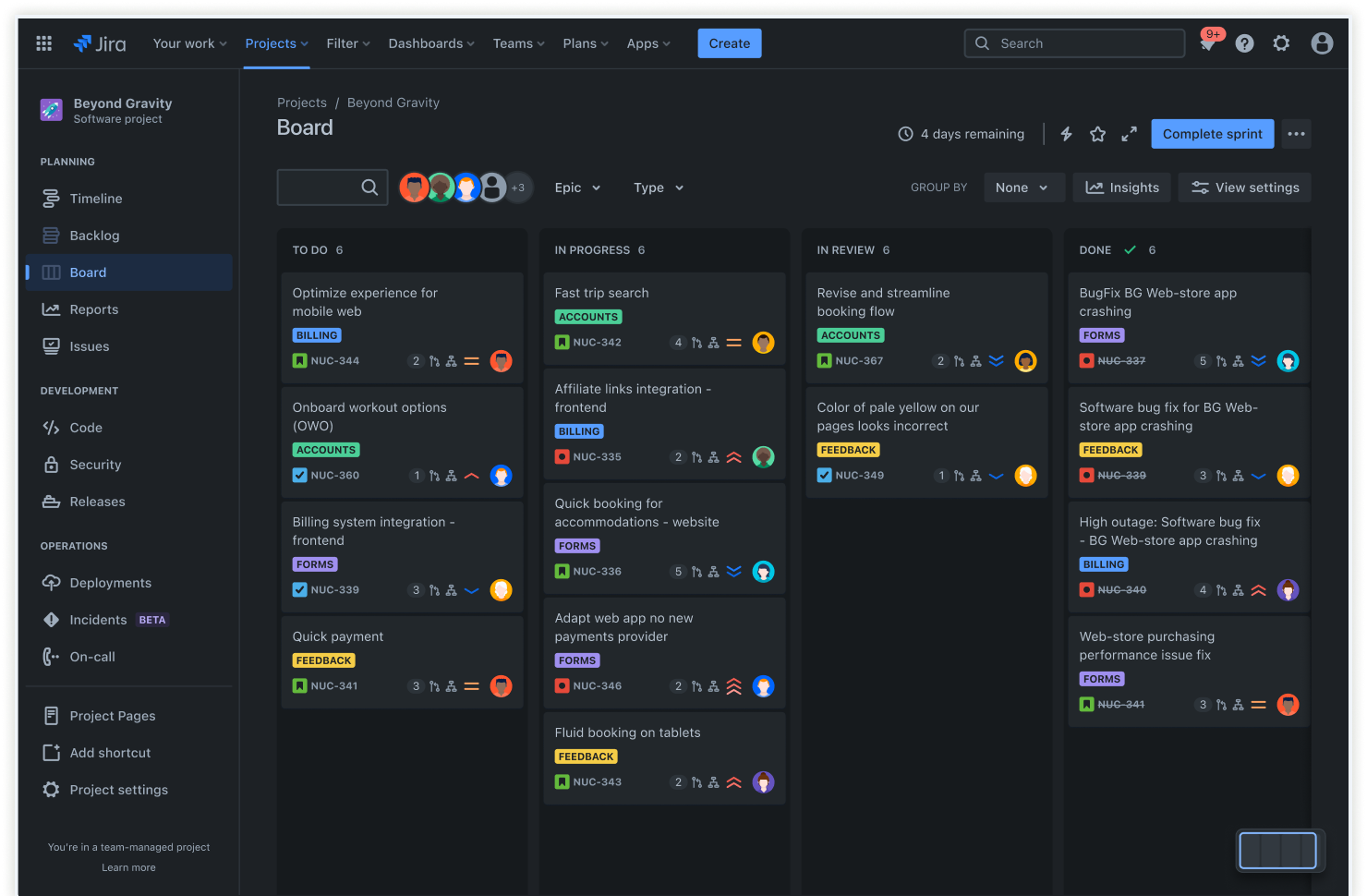
Free project management software enables you to create intuitive task boards that clearly outline your progress and priorities. The boards update in real-time, giving your team a live snapshot of the project at any moment. This visual format makes it easy to identify bottlenecks, reassign workloads, and celebrate milestones, leading to faster project completion.
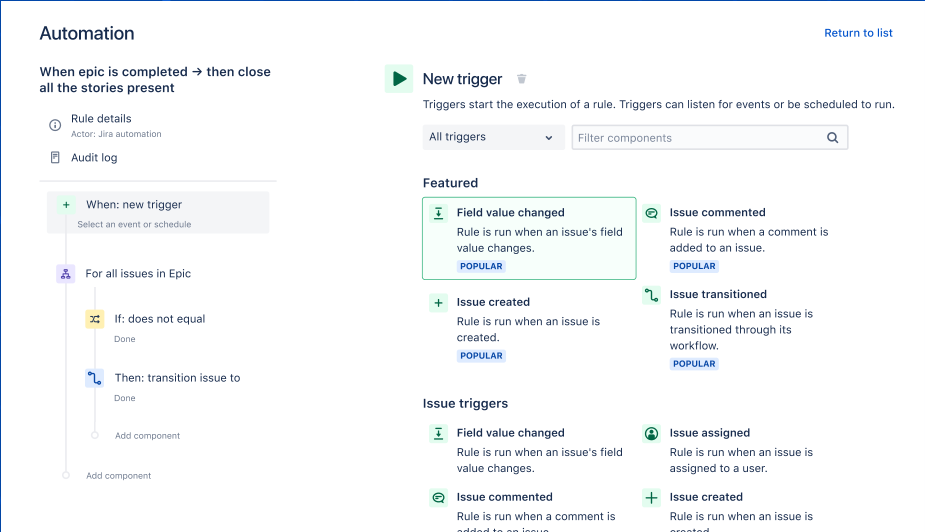
Automation features can streamline repetitive tasks and simplify your workflows. Automation rules let you trigger actions automatically based on events such as creating, updating, or assigning an issue. They then take over the defined actions so your team can spend more time on strategic work, minimize human error, and ensure consistency across your processes.
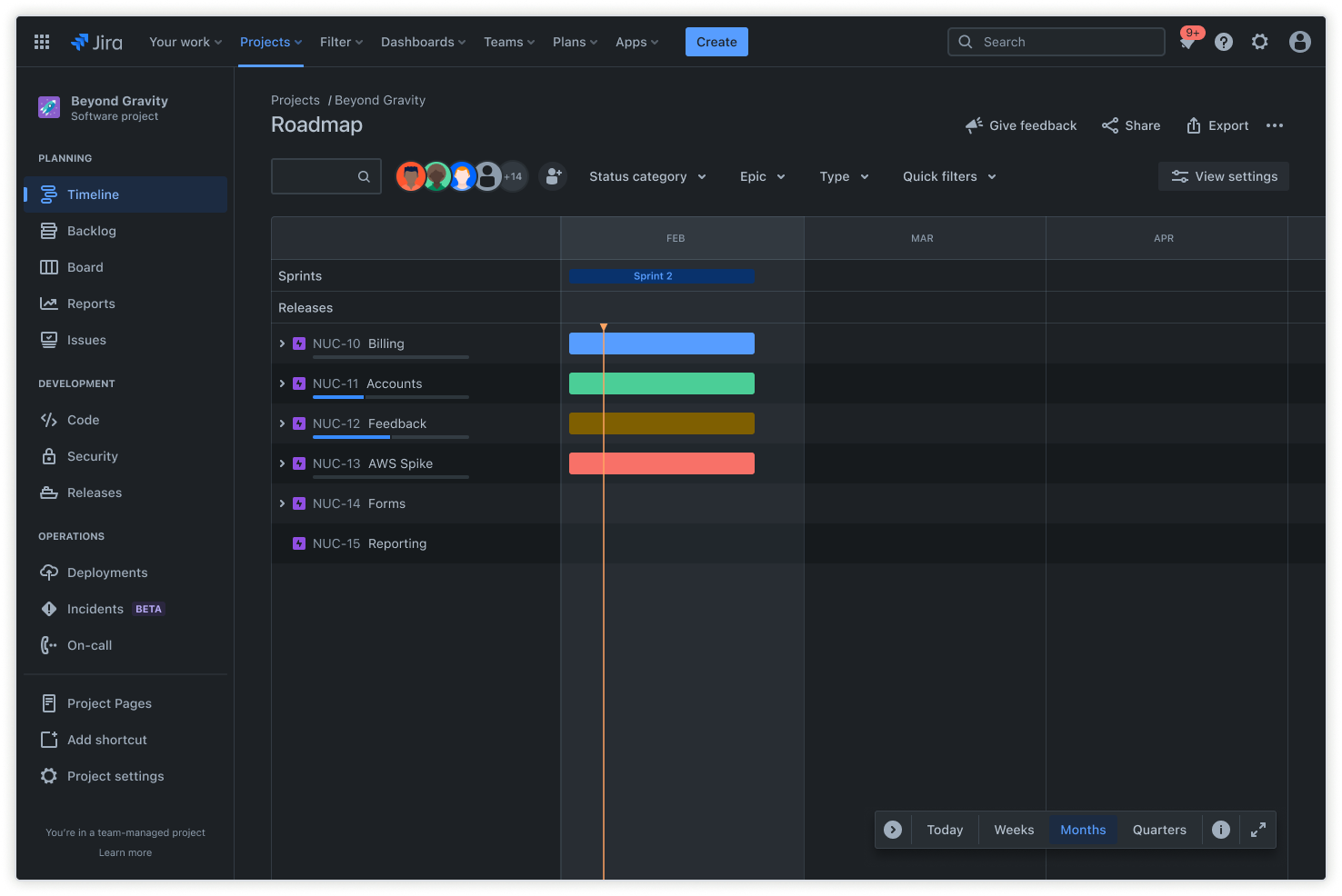
The project timeline view is a high-level project map that gives you a clear snapshot of your project plan. It enables you to spot issues, make changes, and keep your project on track from start to finish. Upcoming work is easily identified in the timeline, helping you with resource planning, sprint planning, and materials ordering. With a visual layout of the entire project schedule, you can assign team members tasks based on workload, skills, and availability.
Best practices for project management in Jira
Using Jira for project management helps you launch your projects in a structured manner. Here are some best practices to ensure project success:
- Define clear goals: Start by setting well-defined, measurable objectives for your project. Clear goals provide direction and a basis for evaluating progress.
- Communicate with stakeholders: Maintain open and regular communication with all stakeholders. Keep everyone informed about project developments, timelines, and any changes to the plan.
- Identify potential risks: Perform a thorough risk assessment at the beginning of your project. Identify possible obstacles and develop contingency plans to address them if they arise.
- Monitor project progress: Use Jira’s tracking and reporting tools to monitor your project’s progress. Update statuses regularly, monitor timelines, and adjust plans to stay on track.
- Embrace Agile workflows: Implement Agile methodologies like Scrum or Kanban to enhance flexibility and responsiveness. Agile workflows help teams adapt to changes quickly and deliver continuous value to stakeholders.