Task Tracking Template
A task tracking template organizes teams to prioritize and monitor work in one place so everything stays on track and deadlines are met.
BEST FOR
All teams
KEY FEATURES
Task planning
Prioritization
Pipeline management
What is a task tracking template?
A task tracking template provides a consistent system for breaking work into clear, trackable tasks so teams can manage responsibilities more effectively. The template works as a structured way to organize and manage individual or team tasks.
Visibility into who is doing what and when
Task tracking allows teams to see ownership, priorities, and deadlines at a glance in a centralized location, which reduces confusion and improves coordination across teams.
A foundation for effective project execution
This isn’t a complex project management system. Instead, it’s an essential starting point for prioritization, accountability, progress monitoring, and stronger project execution.
What the task tracking template helps you manage
Daily task management: Task tracking makes it easy to manage day-to-day work and monitor progress so larger projects stay on track.
Cross-team coordination: You can use a centralized task tracker to allow teams to monitor and update task progress in real time, which improves cross-team coordination.
Personal workload visibility: Team members can use the task tracking template to view their workload at a glance, resulting in greater accountability.
Project execution support: Most project managers can use task trackers to identify bottlenecks and ensure projects are within the scope, budget, and on schedule.
Operational work tracking: Simple task list templates also allow you to track repetitive, day-to-day tasks like performance reviews and payroll.
What does the task tracking template include?
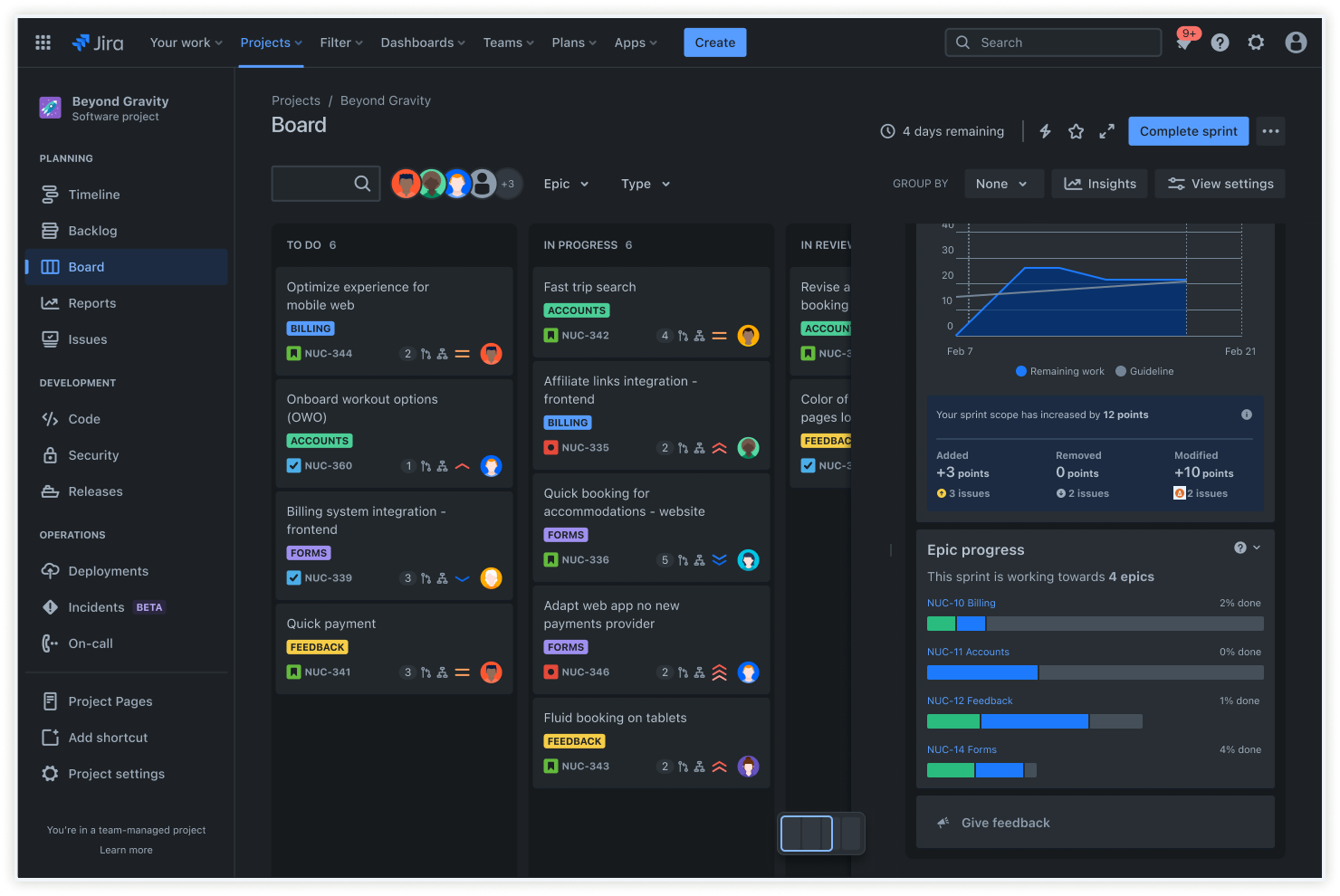
Board view
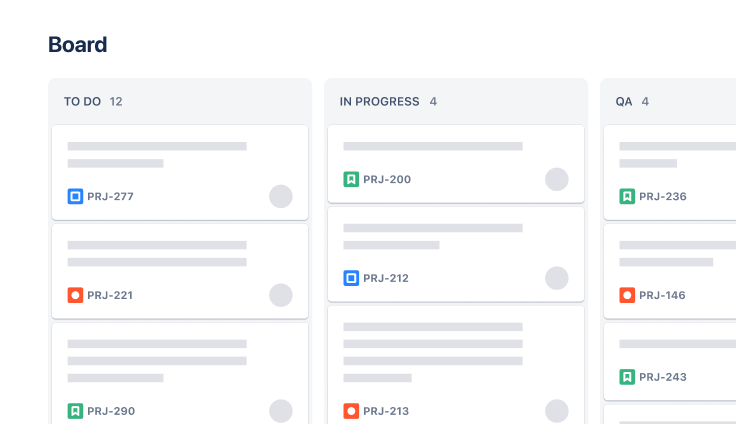
The Board view is a Kanban board designed for effective progress tracking of tasks, which simplifies complex workflows into clear, organized columns.
Each column represents a stage in your project’s workflow, such as ‘In progress,’ creating a visual path from initiation to completion.
This visual clarity makes it easier to understand task status, improving communication and teamwork.
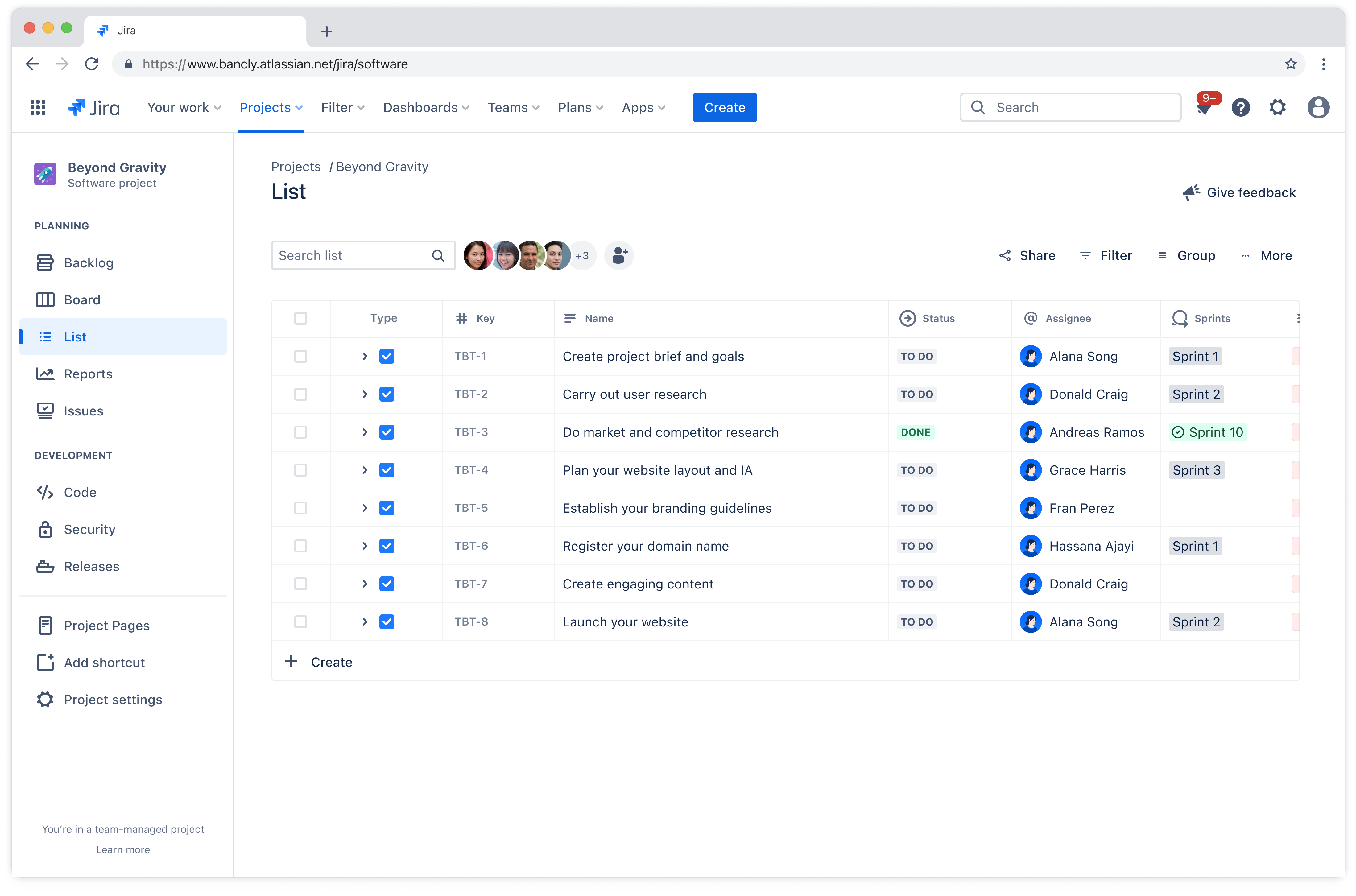
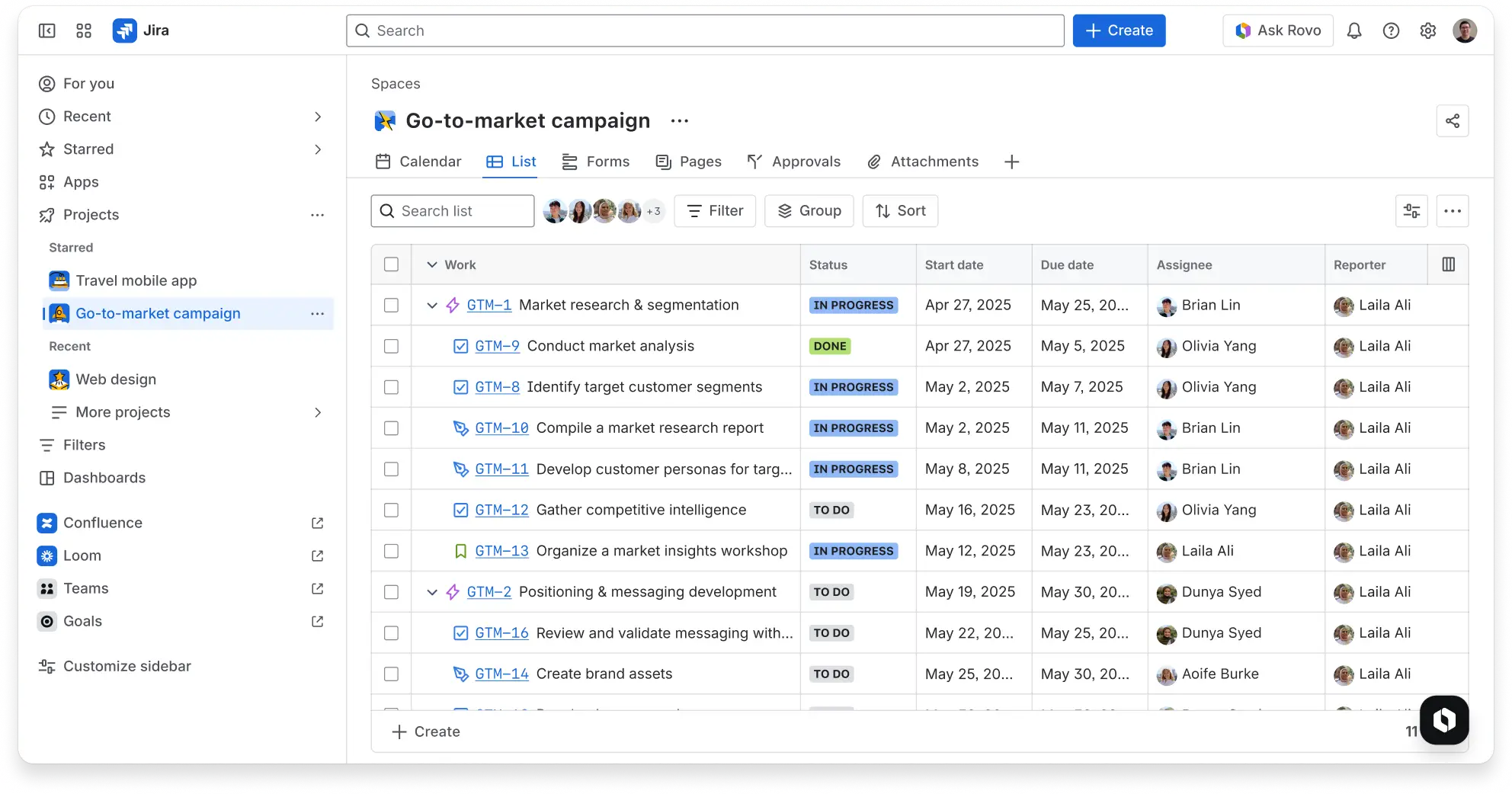
List view
Sort tasks by fields like due date, assignee, or priority to tailor the List view to your project’s needs.
The List view is easy to navigate, making it useful for both experienced project managers and teams new to task tracking.
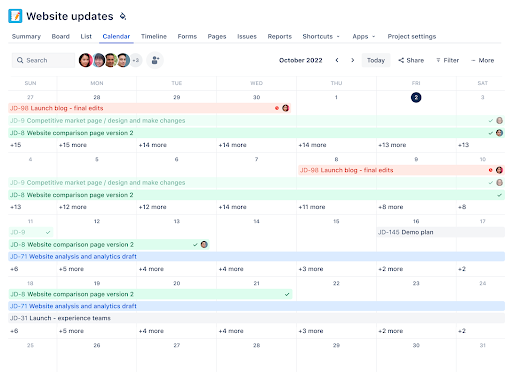
Calendar view
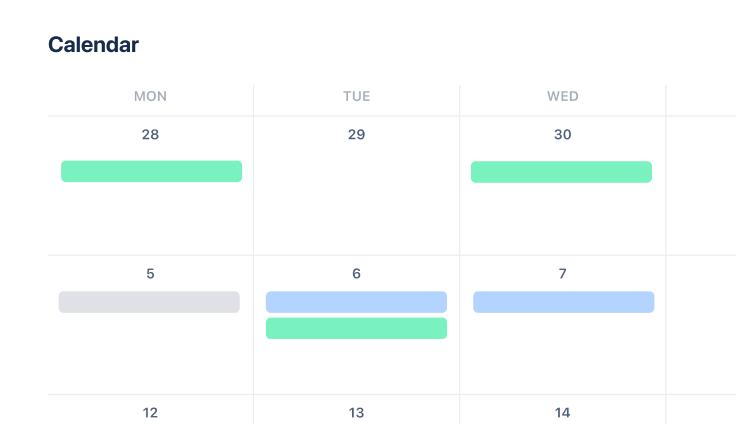
Use the Calendar view to get a high-level view of your project timeline. Quickly and effortlessly plan your work by visualizing when tasks are due.
This allows you to allocate resources efficiently and ensure timely completion of critical project milestones.
Whether planning for short-term deadlines or mapping out long-term projects, the Calendar view provides the flexibility needed to navigate the intricacies of project timelines.
Work items
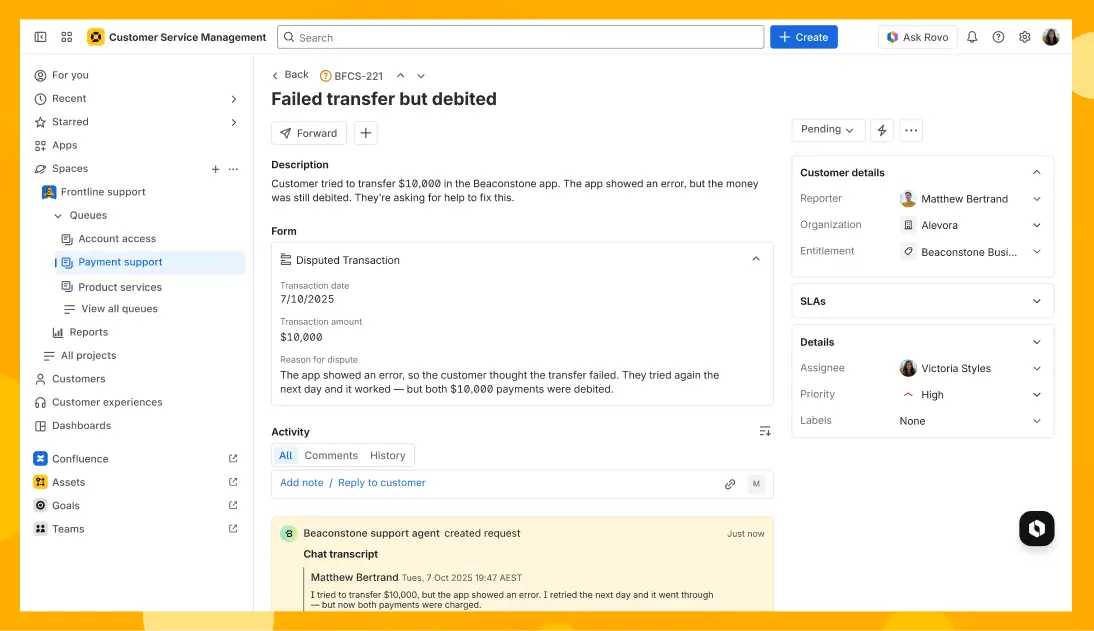
Use Jira work items (formerly called issues) to track individual pieces of work across a project. Work items in the task tracking template help teams collect project information in a structured way.
Work items provide a flexible way to gather project requirements, feedback, and other important details in one place.
Work items also promote transparent communication between teams and stakeholders. Their structured format ensures expectations and requirements are clear. This clarity allows teams to address work requests promptly and accurately.
Automations
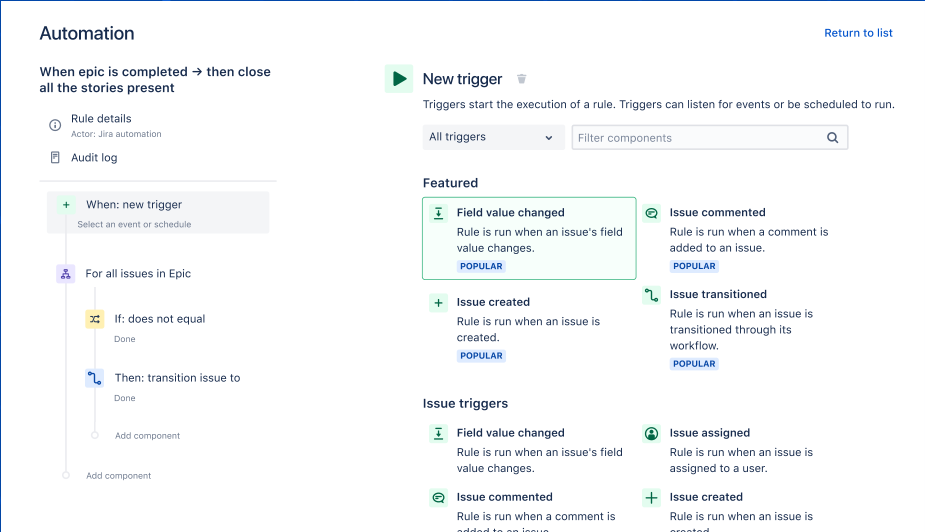
Use no-code or custom automation rules to support important and frequent actions in your processes so you don’t miss a single step.
How to get started with task tracking in Jira
This template uses Jira to help you and your team manage your day-to-day tasks.
- 1
Create a task tracking project
In Jira, click “Projects” and then click “Create project.” Choose the Task Tracking template and select “Team-managed project” or “Company-managed project.” Next, name your project and click “Create.”
Once your project is ready, open List view from the left sidebar under “Views” to start creating and organizing tasks.
Click “Add issue” or the “+” button to create your first task. Enter task details directly in the list, including the summary, assignee, due date, priority, and status. Repeat this process to add more tasks as needed.
Break larger work into clear, manageable tasks so responsibilities stay clear and progress is easier to track. Assign ownership, set priorities, and include relevant context such as descriptions, deadlines, or linked work.
Use filters and visible columns to customize which tasks and fields appear in the list, and drag and drop tasks to reorder them or update statuses as work progresses.
- 2
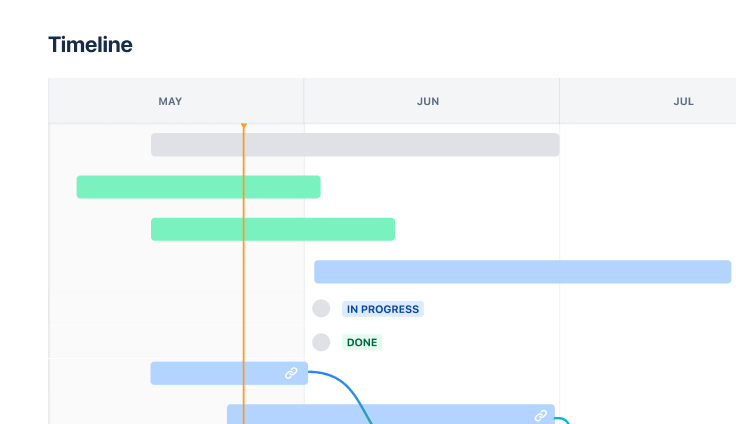
Set timelines and dependencies
Open a work item to get started with timelines and dependencies. Click “Configure” at the bottom of the view to navigate to the work type’s page, or the layout page if you’re using a company-managed space.
Locate the “Due date” field and drag and drop it to the desired position. Click “Save changes.”
Use the due date field to define a due date for each task. You’ll need to configure the due date field for each work type if you’re using a team-managed space.
- 3
Track tasks with Board, Calendar, and List views
Use Jira views to track progress visually and identify issues. Open Board view to follow tasks through workflow stages such as To do, In progress, and Done so the team can quickly understand the status of work.
Simplify deadline management with the Calendar view. Visualize task deadlines to identify clusters where too many tasks are due at once, and move tasks around the calendar to reschedule them.
Manage large volumes of tasks with the List view. Identify upcoming deadlines by sorting by due date, and find important task details at a glance.
- 4
Automate repetitive workflow actions
Use the Rovo Workflow Builder agent to create custom workflows in Jira using everyday language, allowing you to automate repetitive tasks like status changes or notifications.
Navigate to Rovo, then select the Workflow Builder and click “Create workflow.” Define a trigger, select Rovo AI steps and Jira actions, and add logic to create custom paths based on rules.
Related templates
Marketing
Jira project management template
Manage activities for completing a business project.
Ready to use this free template?
Explore more templates to supercharge teamwork
Empower everyone, on every team. Build, connect, and deliver your biggest ideas seamlessly across Atlassian apps using our complete collection of ready-made workflows.