Analytics help center screenshot

Marketing service management template

Manage and track marketing requests

BEST FOR

  • Marketing teams

KEY FEATURES

  • Customer portal

  • Marketing request types

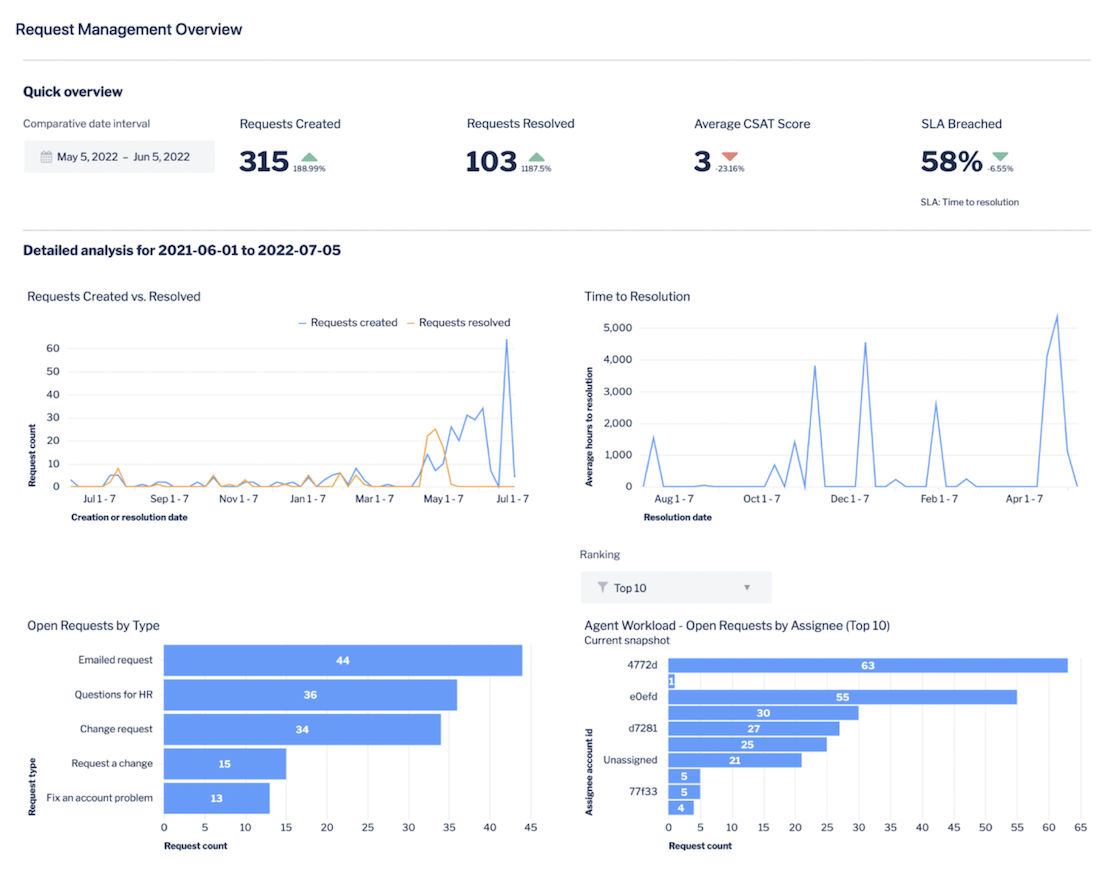
  • Reports

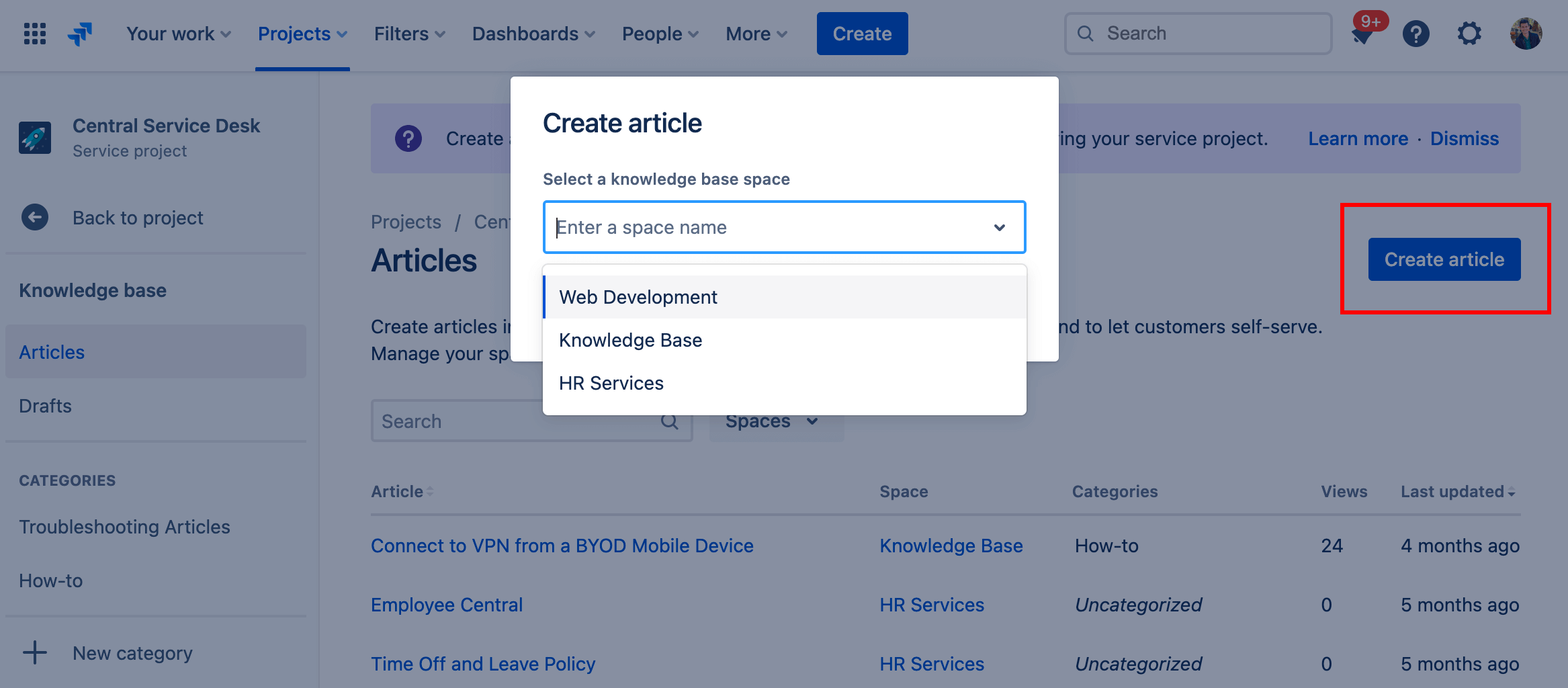
  • Knowledge base

Analytics help center screenshot

What is a marketing service management template?

Our template offers everything you need to capture, track, and manage marketing requests in one place.

What does the marketing service management template include?

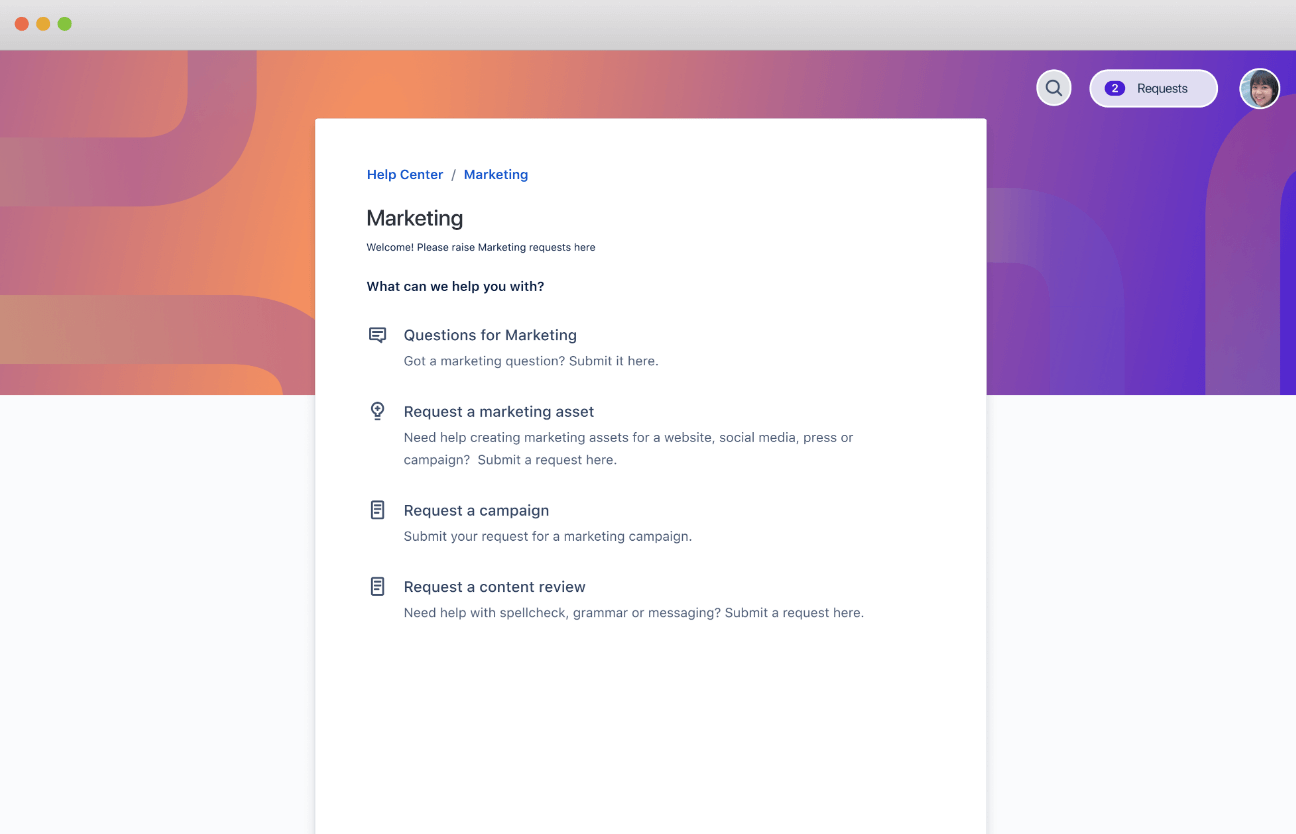
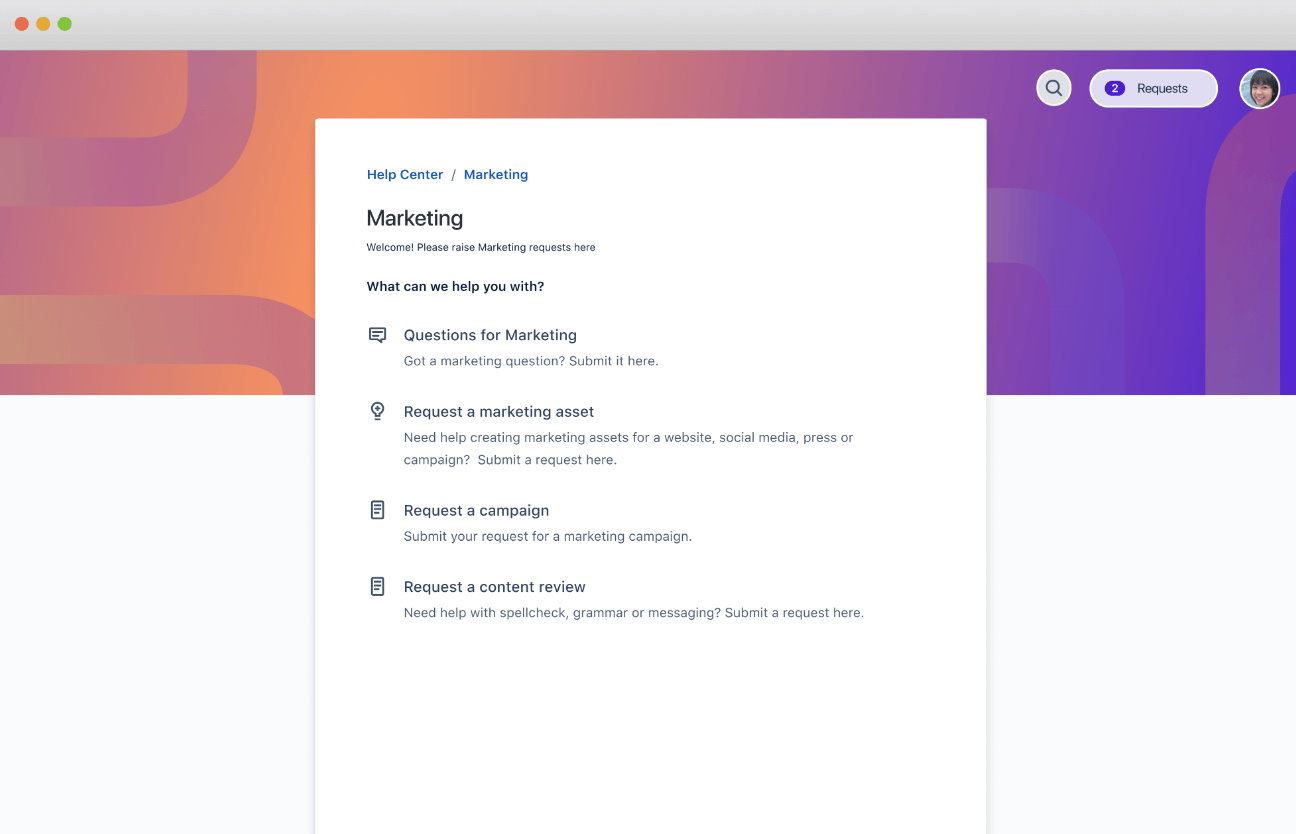
A marketing service portal

Create a service portal to manage marketing requests. Shape request types and workflows to meet your organization’s needs.

How to get started with the marketing service management template

This template uses Jira Service Management to help your team capture, track, and manage incoming marketing requests in one place.

  1. 1

    Set up your help center and portal

    The help center is where customers can submit requests and access your self-service knowledge base. Customize the welcome message, announcements, and layout. Learn more.

  2. 2

    Customize your request types

    Help customers and agents by using tailored marketing request types, or even creating your own. Learn more.

  3. 3

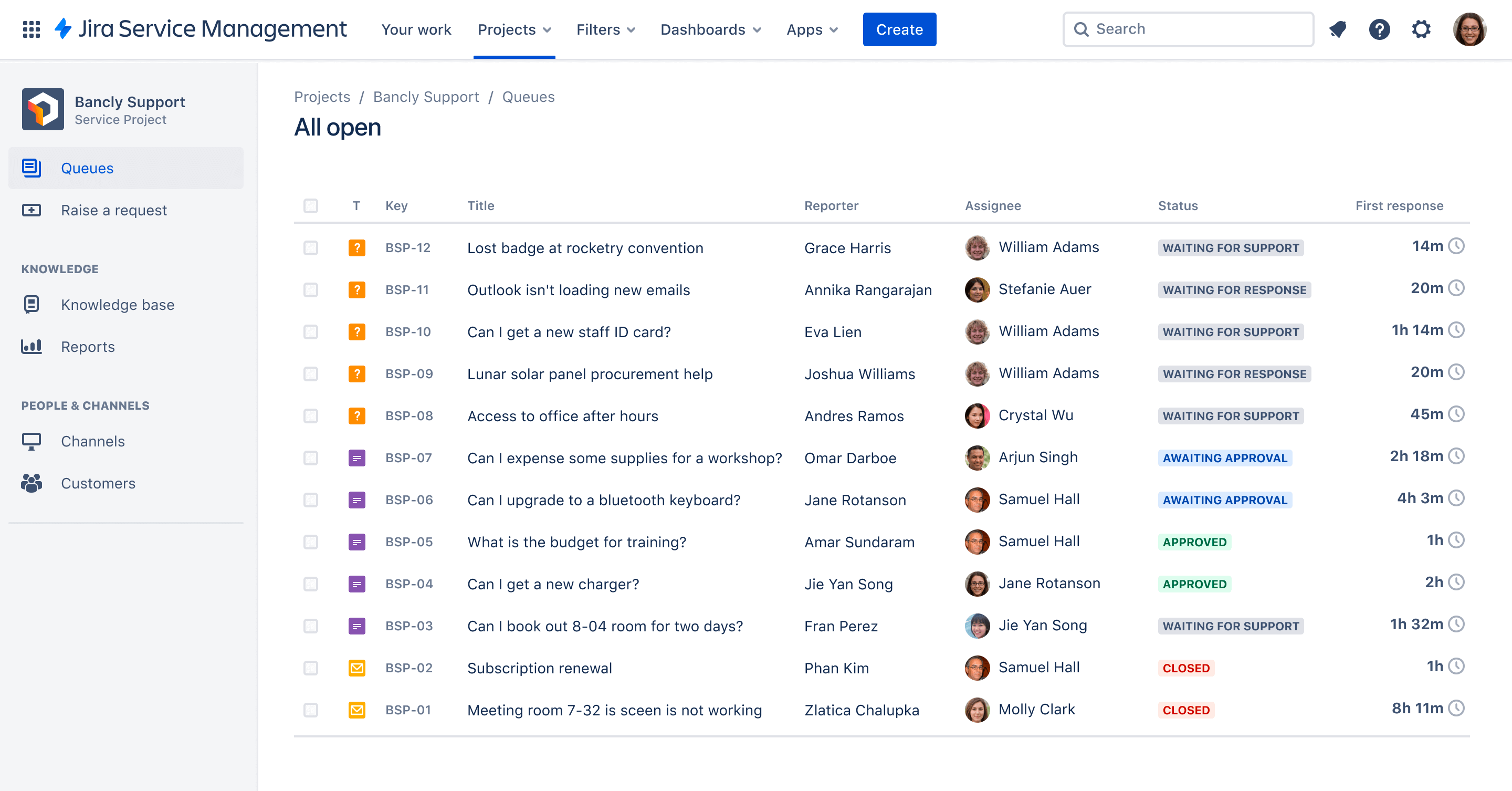
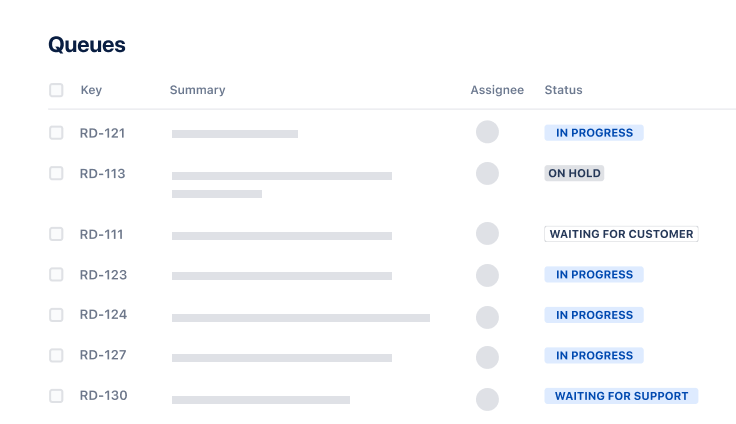
    Organize your queues

    Align your queue with the way your teams triage and address marketing requests. Learn more.

  4. 4

    Add agents

    It’s time to get the party started! Add agents to your service project team. Learn more.

  • Easy collaboration

    Make it easy for internal customers to submit marketing and media requests, and for your team to manage them in a central location. Use statuses and notifications to effortlessly communicate real-time updates to cross-functional teams, agency partners, and vendors.

  • Marketing service portal

    Deliver a self-service marketing portal that provides 24/7 access to marketing information and services, minimizes dependencies on institutional knowledge, and decreases the number of redundant or repetitive requests.

  • Smooth workflows

    Use workflows to provide transparency for reviews and approvals, and automation rules to notify team members if requests are urgent. Customize how you receive incoming requests to suit how your team likes to work, and have confidence the right person is assigned to the task.

Related templates

Operations

General service management template

Collect, prioritize, and manage requests for any business teams.

Service Management

IT service management template

Intake requests, set up alerts, raise incidents, and fix issues quickly.

Service Management

Analytics service management template

Manage employee requests for the data and insights they need.

Related resources

GUIDE

How Enterprise Service Management works in Jira Service Management

Learn how to get started and get tips and tricks.

GUIDE

The Atlassian approach to ESM

Learn Atlassian’s insider information for getting ESM up and running.

CUSTOMER STORY

CBS Customer story

See how the marketing team at CBS adopted enterprise service management to streamline complex processes.

Ready to use this free template?

Use template